Raspberry Pi DNS Server - Whats the big deal?
So I built a DNS router with guidance from one of my favorite Youtubers, NetworkChuck. Installing and getting this DNS server and getting it running was one of the most rewarding as well as "Wife-Approved" techy things I've done with my homelab.
Scott
3/1/20241 min read
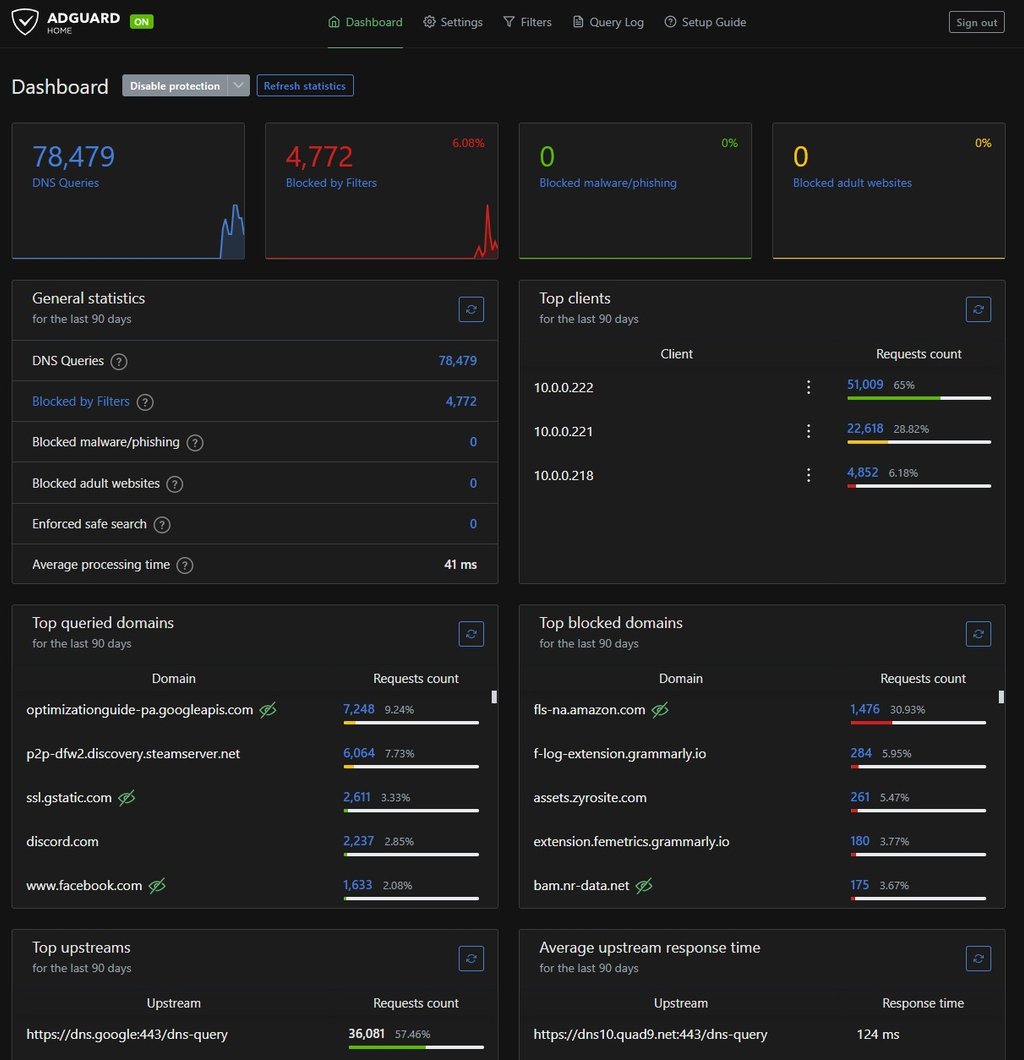
My wife’s been surprisingly happy about this setup too. Since AdGuard Home blocks ads at the DNS level, her phone games are almost completely ad-free when she's on Wi-Fi—which earned this project an enthusiastic “wife thumbs up.” She also noticed how much smoother our streaming services run now without ad traffic clogging things up. It’s a small change that made a big difference, and it didn’t cost much to implement. Bonus: it keeps me busy in a way that actually benefits the whole house.
This project scratched my homelab itch and gave me way more control over the way our network operates. If you care about privacy, performance, or just love tinkering with Raspberry Pi projects, this is a solid weekend build. And if you’re like me—someone who lives in their network gear like it’s second skin—building your own DNS server is a power move that’s 100% worth it. Got questions or want help getting started? Drop a comment or reach out through my blog: Bits & Backups.
Also, big thanks to @NetworkChuck and all he does to inspire me and my technology journey!
